Farm To Table Front Desk Growth Guides
Food Photography for Farmers Guide
Food Photography for Farmers Guide
Couldn't load pickup availability
Turn Your Smartphone Into a Professional Food Photography Studio
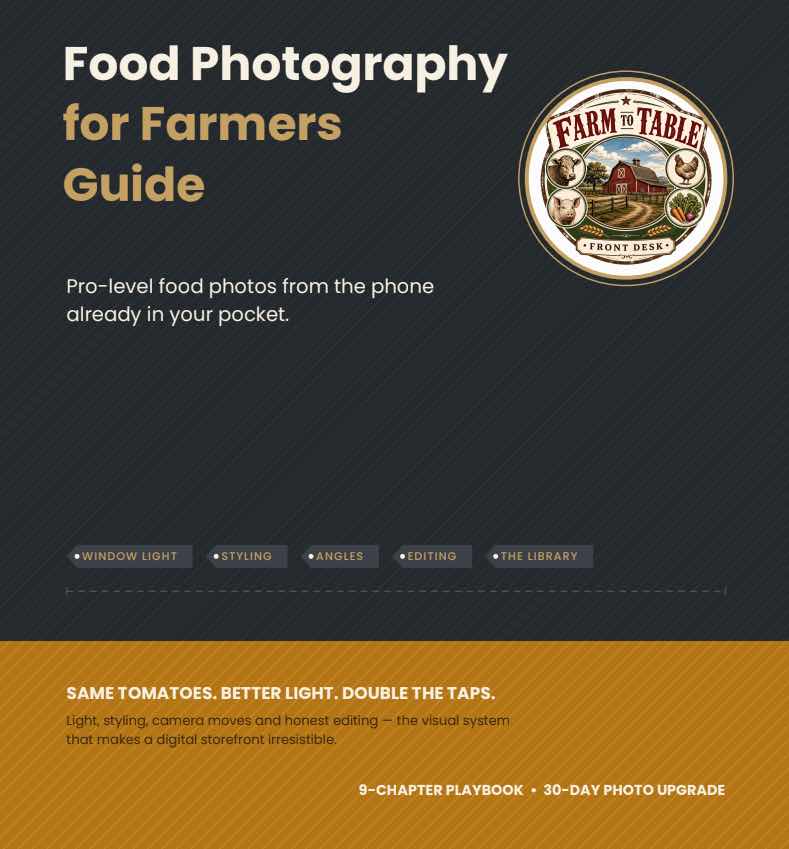
Online, every buying decision comes down to a single product photo. The Food Photography for Farmers Guide teaches you to shoot professional-quality farm product photos using nothing more than the phone already in your pocket.
When images are dark, cluttered, or inconsistent, shoppers scroll past — even when the food is exceptional. You don't need an expensive camera or a professional photographer to fix that.
You need a repeatable system: good light, honest styling, a few phone settings, and gentle editing.
Why Photos Sell Your Farm
Customers can't smell your basil or squeeze your peaches online, so your images are your storefront's shelf appeal. Better photos attract attention, justify premium pricing, and build the trust that turns browsers into buyers.
This guide gives you a practical visual workflow you can repeat every week to build a consistent, authentic image library.
What You'll Learn
- Light is everything — soft window light and golden hour, with a cheat sheet (this is 80% of the improvement)
- The styling kit — surfaces, props, and the hero rule, styled honestly
- The phone, mastered — focus lock, exposure, grid, and angles
- Editing without lying — gentle nudges that keep colors real
- The four storefront shots — portrait, scale, lifestyle, and farm proof
- A weekly photo system — batch, library, refresh, repeat
What's Inside the Guide
The Shot Order
- Chapter 1 — Why Photos Sell: your images are the storefront's shelf appeal
- Chapter 2 — Light Is Everything: window light, golden hour — and the cheat sheet
- Chapter 3 — The Styling Kit: surfaces, props and the hero rule
- Chapter 4 — Five Styling Rules: fresh, odd numbers, contrast, texture, space
- Chapter 5 — The Phone, Mastered: focus lock, exposure, grid and angles
- Chapter 6 — Editing Without Lying: gentle nudges that stay honest
- Chapter 7 — The Four Storefront Shots: portrait, scale, lifestyle, farm proof
- Chapter 8 — Photo Pitfalls: five habits that flatten good produce
- Chapter 9 — The Photo System: batch, library, refresh, repeat
- 30-Day Photo Upgrade: your week-by-week checklist
How to use this guide: Chapter 2 is 80% of the improvement — fix the light first. Chapters 3–6 stack styling, camera craft and honest editing on top, 7–9 turn it into a weekly system, and the 30-day upgrade replaces every photo in your storefront.
Frequently Asked Questions
What is food photography for farmers?
Food photography for farmers is the process of creating attractive product photos that showcase fresh produce, meat, flowers, eggs, and other farm products for online stores, farmers markets, and social media. Good lighting, honest styling, and consistent images help customers buy with confidence.
How can I improve my farm product photography?
The biggest improvement comes from using soft window light, simple farm props, clean backgrounds, and photographing one clear product at a time. This guide teaches a repeatable system rather than relying on expensive equipment.
Can I take professional food photos with my smartphone?
Yes. Modern smartphones can produce professional-quality food photography when paired with proper lighting, composition, and editing techniques. The guide focuses on using the phone already in your pocket.
How do I take better food photos with my phone?
Start by fixing the light — shoot in soft side window light, lock focus and exposure, use the grid for composition, and keep one clear hero product. These few habits get professional results from the phone in your pocket.
Do I need expensive photography equipment?
No. The guide teaches farmers how to create professional ecommerce images using a smartphone, natural light, inexpensive props, and simple editing techniques.
Why are ecommerce product photos important?
Customers can't touch, smell, or sample products online, so product photography becomes your digital storefront. It often determines whether shoppers click, browse, and ultimately purchase.
How do better product photos increase online farm sales?
Better product photos attract more attention, justify premium pricing, improve customer confidence, and help farms build trust across Shopify stores, social media, email marketing, and SMS campaigns.
What are the best farmers market product photos?
The strongest farmers market product photos include a hero product image, a scale photo showing size, a lifestyle image showing the food being enjoyed, and an authentic farm photo showing where the product comes from.
How do farmers photograph produce for Shopify?
Shoot each product on a clean background in soft window light, capture the four storefront shots (portrait, scale, lifestyle, and farm proof), edit gently, and keep styling consistent so your listings look cohesive.
How do I photograph vegetables for ecommerce?
Use soft side light, a textured surface, and odd-numbered groupings that show freshness and contrast, photographing one hero product at a time against a clean background.
How do I photograph meat and farm products for online sales?
Apply the same fundamentals to meat, eggs, and flowers: soft natural light, honest styling, a clean background, and the four storefront shots, so every product looks fresh and trustworthy.
What lighting works best for produce photography?
Soft side window light is recommended for most farm products. Outdoor photos work best during golden hour or in open shade, while harsh overhead lights and phone flash should generally be avoided.
How should I style food for product photography?
Use natural farm props, textured surfaces, and one clear hero product. Keep styling honest so customers receive products that match the photographs.
What editing should I use on food photos?
Use gentle editing to improve brightness, warmth, contrast, and cropping while keeping colors realistic. The goal is to accurately represent the food — not create misleading images.
What are the best food photography tips for small farms?
Fix the light first (soft window light or golden hour), style honestly with simple farm props, master a few phone settings, edit gently, and batch photos into a repeatable weekly system.
What is online farm store photography?
Online farm store photography refers to the collection of product images used throughout a farm's ecommerce website, product listings, email campaigns, and social media marketing.
How do I build a photo library for my online farm store?
Batch-shoot your products, organize them by type and season, and refresh with each new harvest using a weekly photo system so your storefront always has consistent, current images.
How often should I update my farm ecommerce images?
The guide recommends maintaining a weekly photo system that captures new harvests, refreshes seasonal products, and continuously improves your online product library.
Can better food photography improve farm product marketing?
Yes. Better photography improves every marketing channel including Shopify product pages, Facebook, Instagram, SMS campaigns, email newsletters, and farmers market promotions.
What makes produce photography look professional?
Professional produce photography combines natural light, texture, honest styling, multiple shooting angles, and consistent editing while showcasing the freshness and authenticity of the farm.
Why is authentic photography important for agricultural ecommerce?
Customers buying directly from farms value authenticity. Real farm photography builds trust, reinforces premium pricing, and highlights the people, fields, and harvest that grocery stores can't replicate.
Pairs with